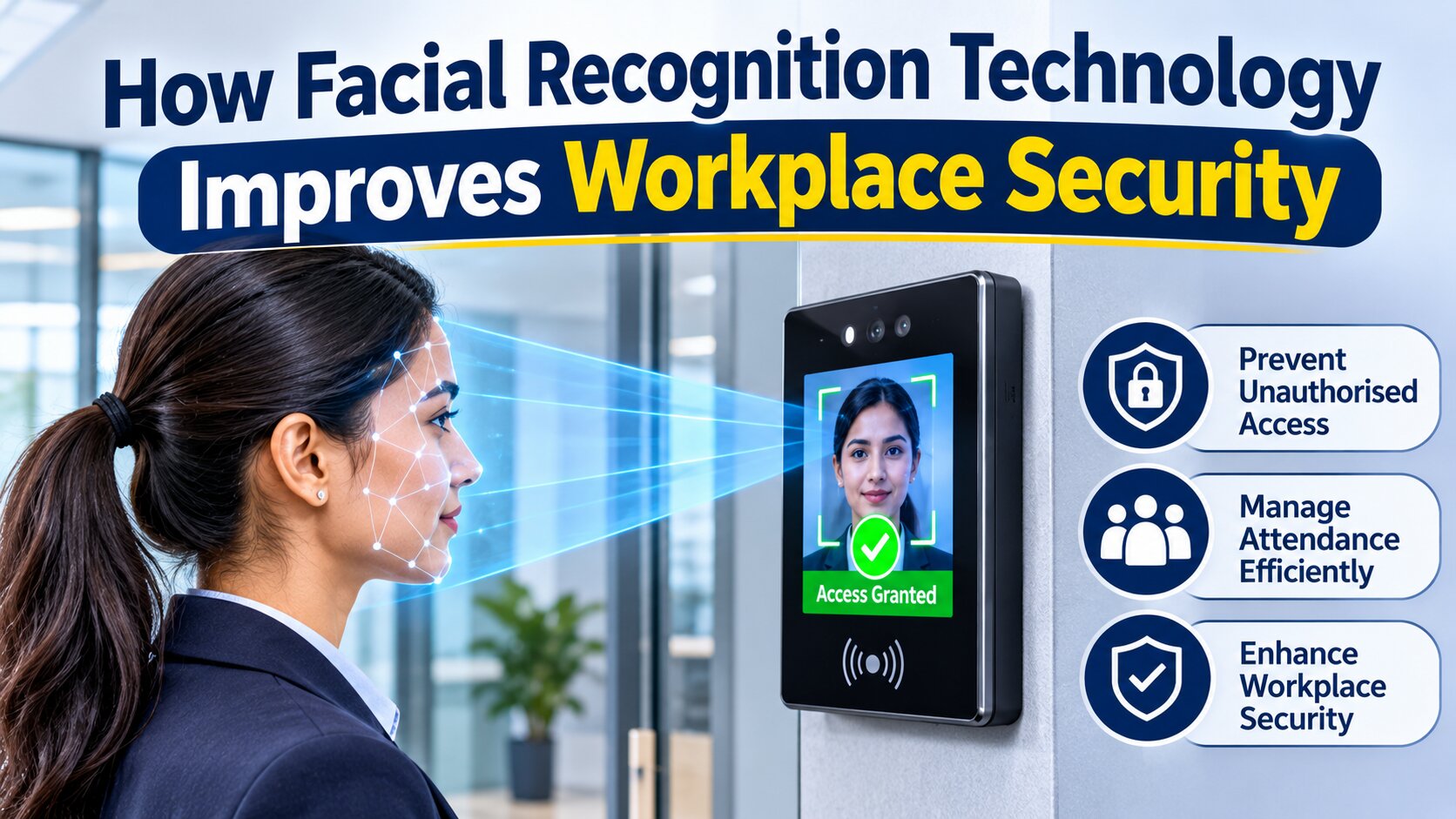
How Facial Recognition Technology Improves Workplace Security
Workplace security has become an important concern for businesses, offices, factories, educational institutions, and commercial facilities. Organisations need effective ways to manage employee entry, monitor attendance, and prevent unauthorised individuals from accessing restricted areas. Traditional security methods, such as identity cards, passwords, and manual attendance registers, can sometimes create operational difficulties because they depend on physical credentials or manual verification.
Facial recognition technology offers a modern approach to workplace identification and access management. It uses biometric information from a person's face to verify identity and control access to designated areas. By integrating facial recognition with attendance and access control systems, businesses can improve entry monitoring, reduce manual activities, and maintain organised security records.
Understanding how this technology works and where it can be used helps organisations evaluate whether facial recognition is suitable for their workplace security requirements.
What Is Facial Recognition Technology?
Facial recognition is a biometric identification technology that analyses facial features to recognise or verify an individual's identity. It uses specialised cameras and software algorithms to examine characteristics such as the distance between the eyes, facial structure, and other distinguishable patterns.
When an employee registers with a facial recognition system, the device captures their facial image and converts relevant facial characteristics into a digital template. During subsequent verification, the system captures a new image and compares the extracted facial information with the registered template.
If the system identifies a sufficient match, it can approve the employee's entry or record their attendance, depending on its configuration.
Businesses looking for face recognition biometric in Jaipur can explore different biometric solutions according to their workplace size, security requirements, employee strength, and access management needs.
How Facial Recognition Technology Improves Workplace Security
Facial recognition systems offer several features that help businesses manage employee identification and workplace access more efficiently.
1. Helps Prevent Unauthorised Entry
One of the primary applications of facial recognition technology is controlling access to restricted workplace areas. Traditional access cards can sometimes be shared between employees, making it difficult to verify whether the person using a card is its registered owner.
Facial recognition provides an additional identity verification method by comparing the person's face with registered biometric information.
Businesses can install these devices at main entrances, server rooms, laboratories, storage areas, and other restricted locations. Only individuals with authorised access can pass the configured verification process.
2. Improves Employee Attendance Management
Managing employee attendance manually can become challenging in organisations with large workforces. Paper registers and conventional attendance methods may require additional administrative effort and can create opportunities for inaccurate records or proxy attendance.
Facial recognition attendance systems allow employees to register their attendance through facial verification.
When an employee approaches the device, the system checks their identity and records the corresponding attendance event. Depending on the software configuration, the information may include entry time, exit time, and attendance status.
This reduces manual attendance activities and helps HR departments maintain organised employee records.
3. Supports Contactless Identification
Traditional biometric devices may require employees to place their fingers on a scanner or use other physical identification methods. Facial recognition systems offer a contactless alternative because identification can take place through a camera.
This can be particularly useful in workplaces where many employees enter and exit throughout the day.
Contactless verification also makes the attendance process convenient for employees working in manufacturing units, corporate offices, hospitals, and commercial facilities.
4. Strengthens Restricted Area Management
Not every employee needs access to every section of an organisation. For example, financial departments, research facilities, data centres, and inventory storage areas may contain confidential information or valuable equipment.
Facial recognition systems can be integrated with access control software to establish different permissions for different employees.
Administrators can configure access according to job responsibilities, departments, and authorised working areas.
This approach helps businesses manage entry permissions systematically and maintain records of access-related activities.
5. Reduces Attendance-Related Errors
Manual attendance management can involve incorrect entries, missing records, and difficulties in calculating working hours.
A facial recognition system automates identity verification and attendance recording, helping reduce certain manual errors.
The recorded information can also be integrated with attendance management software, depending on device compatibility and system configuration.
HR teams can use these records to review employee attendance, monitor working schedules, and prepare reports more efficiently.
6. Provides Better Monitoring and Record Management
Modern biometric attendance and access control systems may provide reporting features that help administrators review employee activities.
Depending on the software, these records can include:
- Employee identification details
- Attendance timestamps
- Entry and exit records
- Access verification history
- Department-wise attendance reports
- Attendance summaries
Maintaining organised records helps management review workplace activities and identify unusual access patterns.
However, facial recognition should be used as part of a broader security strategy rather than as a replacement for all physical security measures.
How Does a Face Recognition Biometric System Work?
Understanding the working process helps businesses evaluate the technology before installation.
Step 1: Employee Registration
The first stage involves registering authorised employees in the biometric system. During enrolment, the device captures facial information using its built-in camera.
The system processes the captured image and creates a digital facial template for future verification.
Step 2: Facial Feature Analysis
The recognition software analyses distinguishable facial characteristics and converts them into information that can be used for identity matching.
The accuracy of this process can depend on camera quality, lighting, facial positioning, software algorithms, and other environmental factors.
Step 3: Identity Verification
When an employee approaches the device, the camera captures their face again. The system compares the newly captured information with the registered facial template.
If the match meets the configured verification threshold, the employee's identity is accepted.
Step 4: Attendance or Access Recording
After successful verification, the system performs the configured action. This may include recording attendance, unlocking an authorised entry point, or sending information to connected management software.
Some systems also support integration with door controllers, turnstiles, and other access management equipment.
Role of Mantra Biometric Devices in Workplace Management
Businesses can choose from different biometric solutions depending on their operational needs. Mantra is one of the technology brands offering biometric identification and attendance-related products.
A Mantra face recognition machine can be considered by organisations looking for facial verification solutions for employee identification and attendance management.
Depending on the selected model, device specifications and supported software, these systems may offer features such as facial recognition, user registration, attendance recording, and access control integration.
Before selecting a device, businesses should evaluate its recognition capacity, verification speed, storage capabilities, connectivity options, software compatibility, and suitability for the intended installation environment.
A mantra biometric attendance machine may also be considered when an organisation wants to improve employee attendance management through biometric verification.
The final selection should depend on the number of employees, entry requirements, available infrastructure, and required reporting features.
Important Factors to Consider Before Installing Facial Recognition Systems
Although facial recognition offers several workplace benefits, proper planning is important for successful implementation.
1. Camera Quality: The camera should capture clear facial images under the expected workplace lighting conditions.
2. Lighting Conditions: Poor lighting, excessive brightness, and changing environmental conditions can affect facial image capture and verification.
3. Employee Capacity: Select a device that supports the number of employees who need to register and use the system.
4. Software Compatibility: Check whether the biometric device can integrate with existing attendance management and access control software.
5. Installation Location: Position the device at an appropriate height and location to support convenient employee verification.
6. Data Protection: Facial information is sensitive biometric data. Organisations should use appropriate security measures, restrict access to stored information, establish retention policies, and follow applicable privacy and data protection requirements.
7. Backup Security: Businesses should maintain suitable alternative entry arrangements for situations involving device failure, power interruptions, or unsuccessful facial verification.
Why Businesses Are Adopting Facial Recognition for Workplace Security
As organisations grow, managing employee access and attendance through manual processes becomes increasingly difficult. Businesses require solutions that support reliable identification while reducing administrative responsibilities.
Facial recognition technology combines biometric verification with digital record management. It can help organisations monitor entry activities, manage restricted areas, and maintain employee attendance information through a centralised system.
Manufacturing facilities may use it to manage employee access to production areas, while corporate offices can implement it at reception points and designated entry locations. Hospitals, educational institutions, warehouses, and commercial buildings may also consider facial recognition according to their security requirements.
Frequently Asked Questions (FAQs)
1. What is a face recognition biometric system?
A face recognition biometric system uses facial characteristics to identify or verify individuals. It captures facial information through a camera and compares it with registered biometric templates.
2. How does facial recognition improve workplace security?
It helps verify employee identities, manage restricted area access, reduce dependence on shared access cards, and maintain digital records of entry activities.
3. Can facial recognition machines record employee attendance?
Yes. Facial recognition attendance devices can record employee entry and exit events after successful identity verification, depending on their supported software and configuration.
4. What is the difference between fingerprint and facial recognition systems?
Fingerprint systems identify individuals using fingerprint patterns, while facial recognition systems analyse facial characteristics through a camera. Both are biometric identification methods, but their installation and verification processes differ.
5. Is a Mantra face recognition machine suitable for office attendance?
A suitable Mantra model can be used for office attendance management if its employee capacity, recognition features, software compatibility, and reporting functions meet the organisation's requirements.
Conclusion
Facial recognition technology is becoming an important part of modern workplace security and employee management. By using biometric identification, organisations can improve entry verification, manage restricted areas, simplify attendance recording, and maintain organised access records.
Choosing the right device requires evaluating employee capacity, recognition performance, software compatibility, installation conditions, and data protection measures. With proper planning and implementation, facial recognition systems can support a more organised and controlled workplace environment.???????